

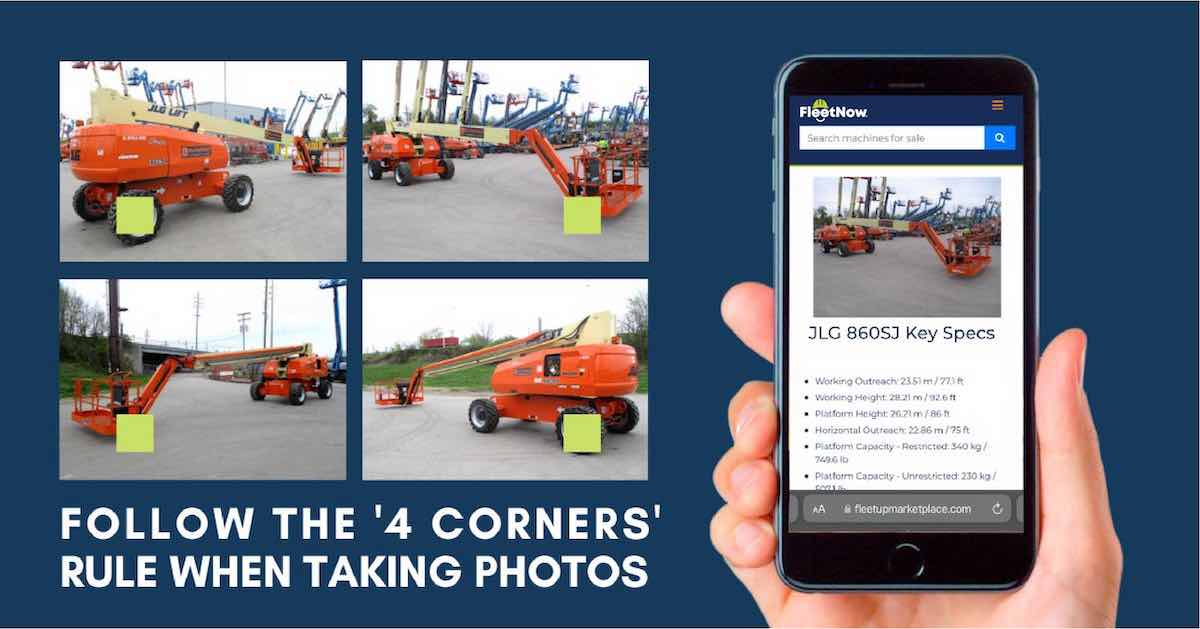
How to Take Construction Equipment Photos That Sell
Last updated: October 2026
Photos are the first thing equipment buyers look at, and they are often the reason a buyer clicks on one listing instead of another. Good photos answer buyers’ questions before they call, build trust and help your machine sell faster.
This guide covers the four corners rule, a full shot checklist, tips for better photos, and the mistakes to avoid when you photograph construction equipment for sale.
In this guide:
The Four Corners Rule
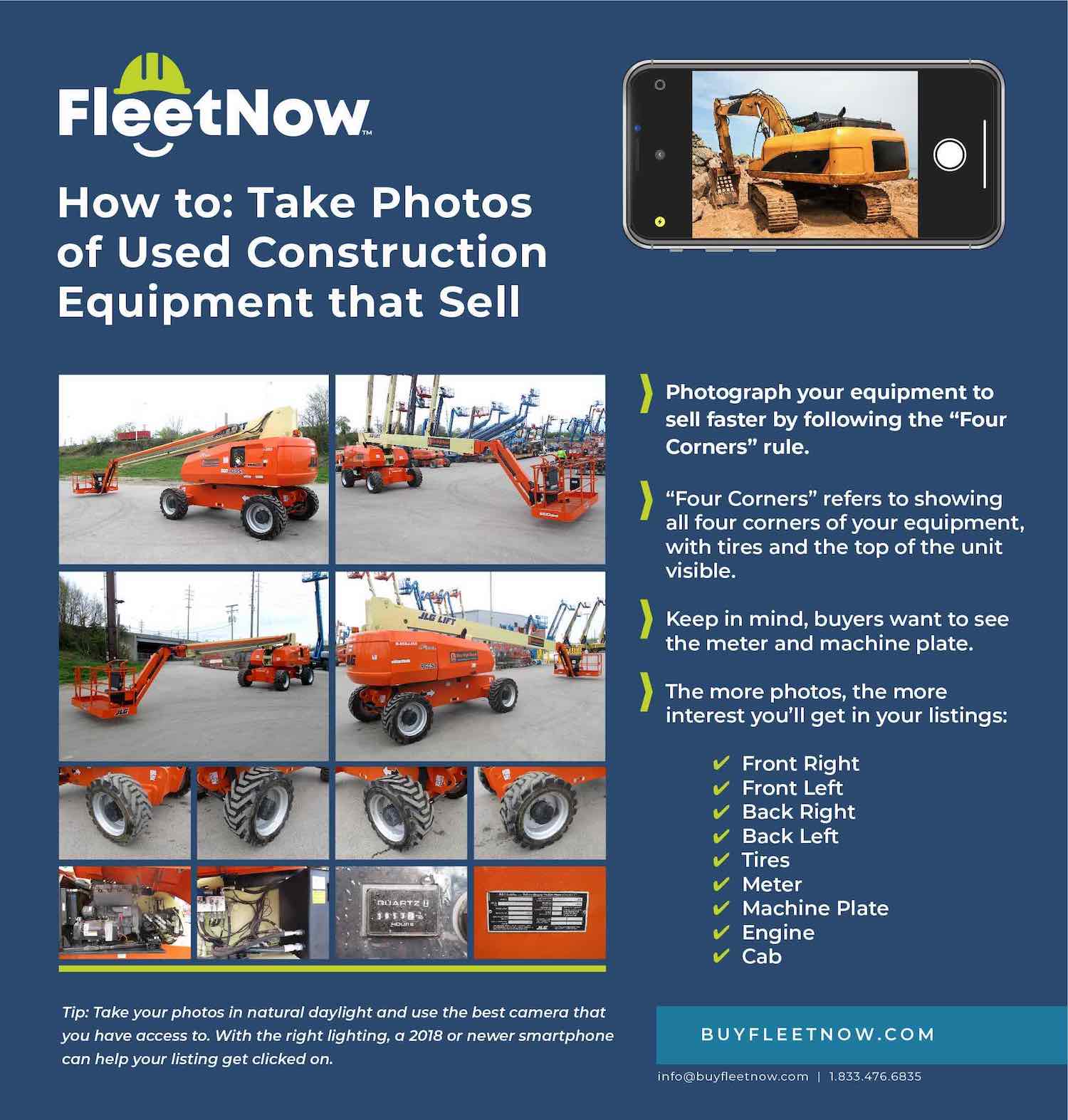
The simplest way to cover a machine is the four corners rule. Stand at each corner of the machine (front left, front right, back left and back right) and take a photo that shows two sides at once, with the tires or tracks and the top of the unit in the frame.
These four shots give buyers a full view of the machine’s overall condition. Start with them, then move in for close-ups of the parts buyers check first.
The infographic below walks around a JLG 860SJ telescopic boom lift, with close-ups of the tires, meter and machine plate. Use it as a guide when you photograph your own equipment.
Construction Equipment Photo Checklist
Plan on at least 10 photos for every listing, and more for larger or more complex machines. Listings with more photos get more interest from buyers. Use this checklist so you don’t miss a shot.
| Shot | What to Capture | Why Buyers Want It |
|---|---|---|
| Four corners | Front left, front right, back left and back right, with the tires or tracks and the top of the unit visible | Shows the whole machine and its overall condition |
| Each side, front and back | Straight-on photos of every side | Shows dents, leaks, missing parts and faded decals |
| Tires or tracks | A close-up of each tire, or both tracks with the sprockets and rollers | Tires and undercarriage parts are costly to replace |
| Hour meter | A sharp, readable close-up of the hours (turn the key on if the display is digital) | Hours are one of the first things buyers check |
| Machine plate | The make, model, serial number and year | Lets buyers confirm the exact model and look up specs |
| Engine or power system | The engine bay with the hood open, or the batteries and charger on electric units | Shows leaks, maintenance and overall care |
| Cab, controls or platform | The seat, joysticks, display and platform control box | Shows wear where the operator works |
| Boom, mast or attachments | Pins, cylinders, hoses, forks, buckets and other attachments | Wear on these parts drives repair costs |
| Damage and wear | Close-ups of any dents, cracks, leaks or worn parts | Builds trust and cuts down on wasted calls |
Showing damage clearly can help convince a buyer that your listing is accurate. Buyers who know about a problem up front are less likely to walk away after an inspection.
How to Photograph a Scissor Lift
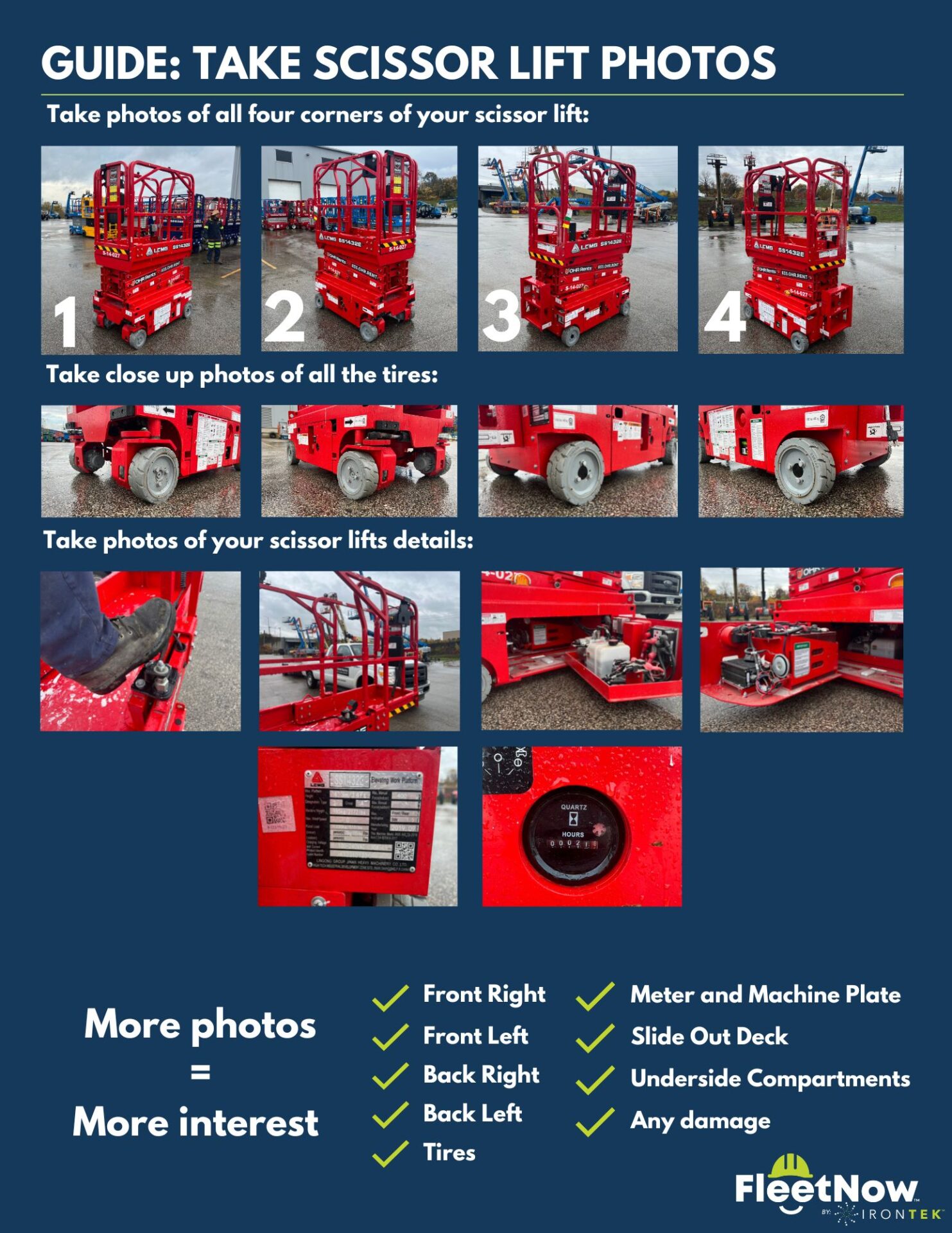
Scissor lifts need a few extra shots. Along with the four corners and each tire, buyers want to see the platform and slide-out deck, the control box, the underside compartments that hold the hydraulic and electrical components, and the hour meter and machine plate.
Use the guide below when you photograph a scissor lift for sale. You can also browse used scissor lifts on FleetNow, including JLG scissor lifts and Genie scissor lifts, to see how other sellers present their machines.
Tips for Better Equipment Photos
- Shoot in good light. Overcast days, or the first and last few hours of daylight, give even light. Avoid harsh midday sun, which causes glare and dark shadows, and keep the sun behind you.
- Clean the machine first. Wash off mud and clear trash and clutter out of the cab. A clean machine looks well cared for.
- Pick a clean background. Move the machine away from other equipment, trash and signs so buyers focus on what you are selling.
- Shoot horizontally. Landscape photos fill listing galleries better and cut out extra sky and ground.
- Use your phone’s best setting. Any recent smartphone works well. Wipe the lens, use the highest quality setting and tap the screen to focus.
- Move closer instead of zooming. Digital zoom makes photos blurry. Walk up to the part you want to show.
- Use the flash in dark spaces. Engine bays, compartments and undercarriages often need extra light.
- Show it working. If it is safe, add a photo with the boom extended or the platform raised. A short walkaround video can also help.
- Keep edits honest. Crop out extra space and brighten dark photos if needed, but skip filters and never hide flaws.
Common Photo Mistakes to Avoid
- Posting only one or two photos
- Blurry, dark or backlit photos
- Using stock photos or photos of a different unit
- Hiding damage or cropping it out of the frame
- An hour meter or serial plate that can’t be read
- Vertical photos with lots of empty sky and ground
- Old photos that no longer match the machine’s condition
List Your Equipment on FleetNow
Once your photos are ready, list your equipment on FleetNow. Every plan lets you receive buyer inquiries directly, update photos and equipment details at any time, and get AI-powered pricing recommendations. You can cancel anytime.
| Plan | Listings | Price |
|---|---|---|
| Single Listing | 1 equipment listing | $49 per month |
| Five Listings | Up to 5 equipment listings | $79 per month |
| Twenty-Five Listings | Up to 25 equipment listings | $159 per month |
| Custom | Larger inventories | Contact sales |
FleetNow buyers shop for used boom lifts, scissor lifts, telehandlers, forklifts, excavators and more. For a larger inventory, contact our team about a custom plan.
Construction Equipment Photo FAQs
Plan on at least 10 photos, and more for larger or more complex machines. Cover the four corners, each side, the tires or tracks, the hour meter, the machine plate, the engine or power system, the cab or platform, and any damage. Listings with more photos get more interest from buyers.
The four corners rule means taking a photo from each corner of the machine: front left, front right, back left and back right. Each photo shows two sides at once, with the tires or tracks and the top of the unit in the frame, so buyers get a full view of the machine.
Yes. Any recent smartphone takes photos that are good enough for an equipment listing. Wipe the lens, use the highest quality setting, shoot horizontally and move closer instead of using digital zoom.
Overcast days, or the first and last few hours of daylight, give the most even light. Avoid harsh midday sun, which causes glare and dark shadows, and keep the sun behind you when you take your photos.
Yes. Clear photos of dents, cracks, leaks and worn parts show buyers that your listing is accurate. Buyers who know about a problem up front are less likely to walk away after an inspection, and you get fewer wasted calls.
The hour meter shows how much the machine has been used, which is one of the first things buyers check. The machine plate shows the make, model, serial number and year, so buyers can confirm the exact model and look up its specs.


